
A new way to neighbour

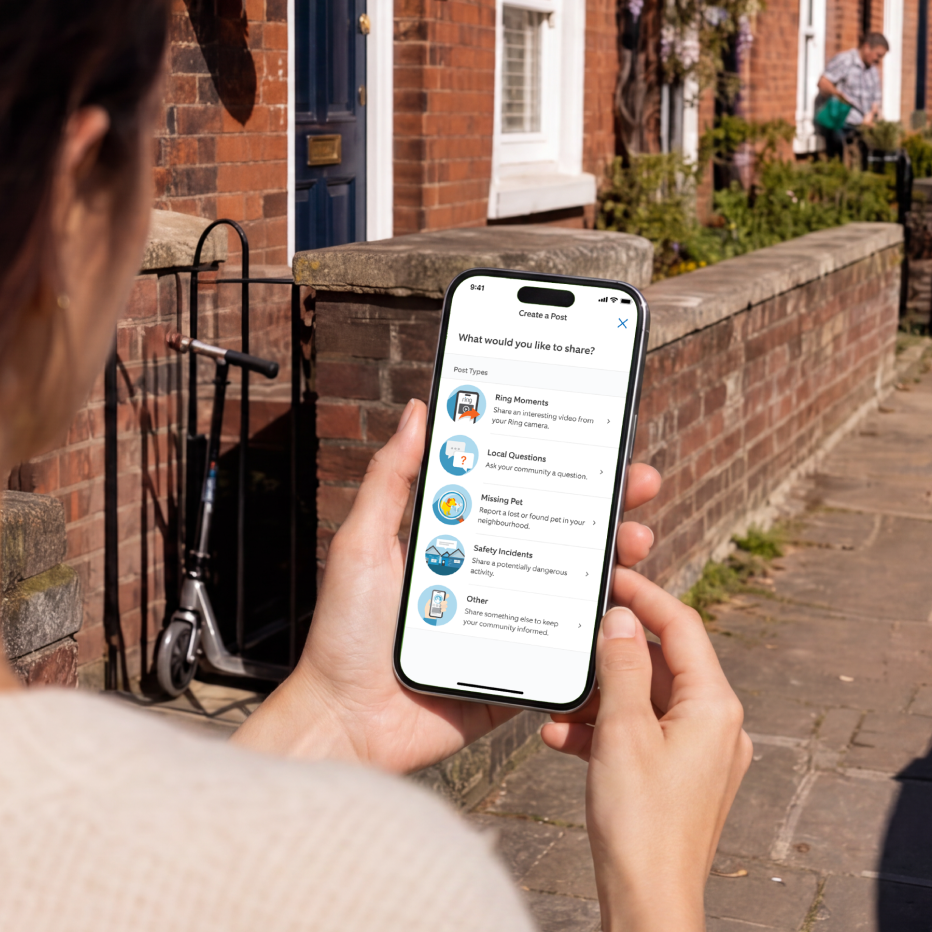
Neighbours is a free, community-powered space in the Ring app. You don’t need to own a Ring doorbell or camera to use it. Neighbours can view real-time safety alerts, post about lost pets, and share local community updates - all in one place.

Neighbours helping neighbours.

Our community features empower everyone to look out for one another and help make neighbourhoods safer.

Neighbours

Safer together.

Safer Streets Start Here

Safer Streets Start Here

Spotted something unexpected? Report it in real-time and let your neighbours know in moments. Because communities get safer when neighbours work together.

Be a Neighbourhood Hero

Be a Neighbourhood Hero

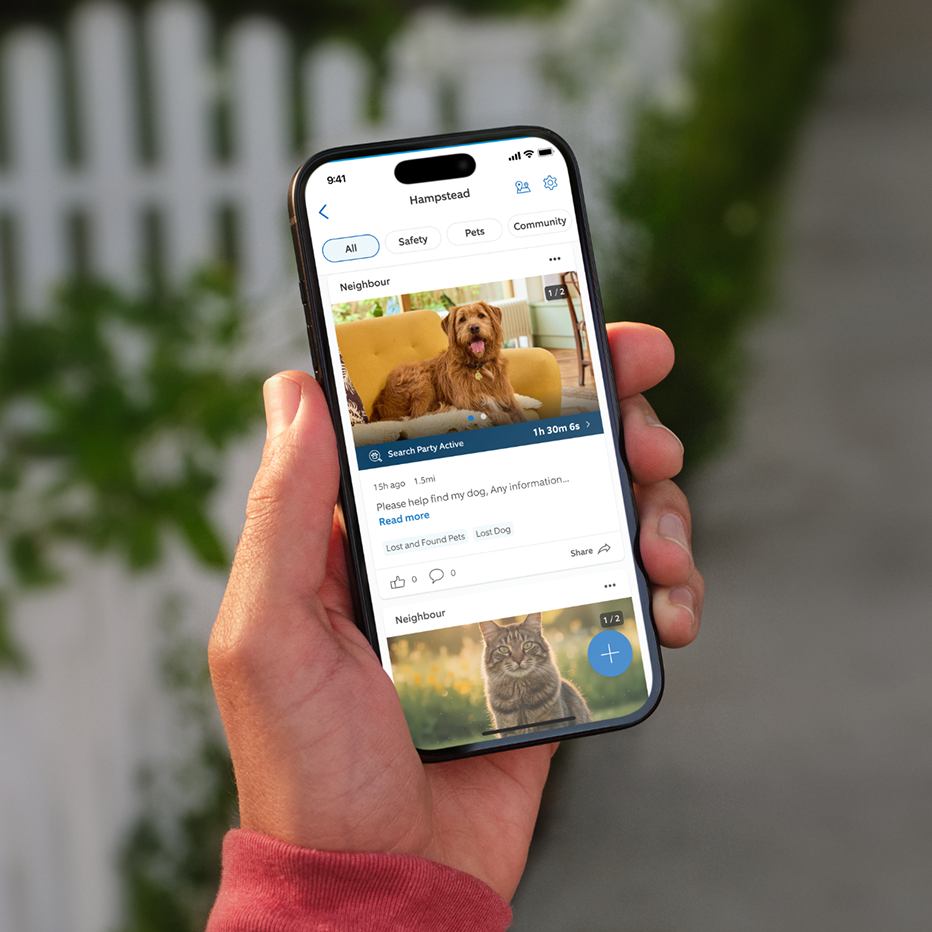
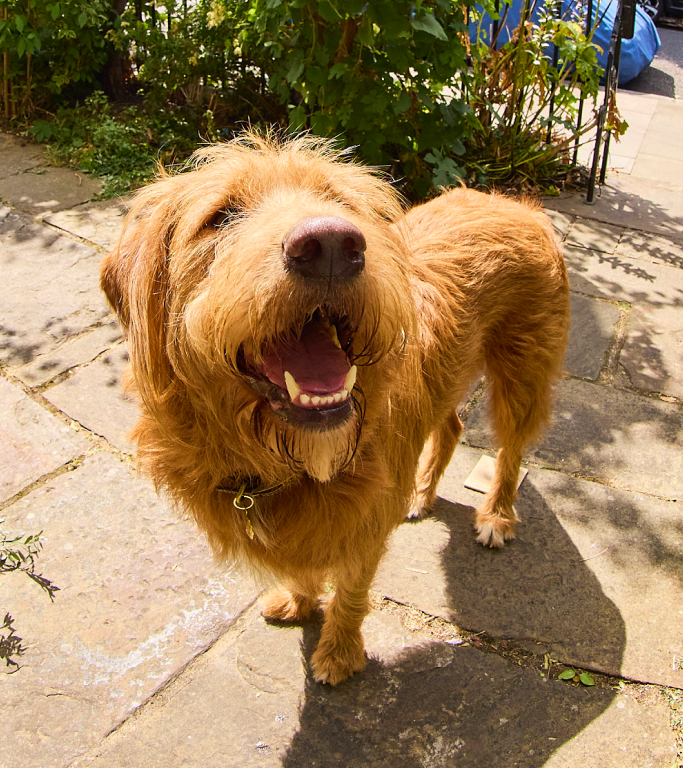
When a dog goes missing nearby, start or join a Search Party to help reunite pups with the family who loves them.

Help When it Matters Most

Help When it Matters Most

If something happens in the neighbourhood, Community Requests gives neighbours the opportunity to voluntarily share relevant videos with public safety agencies during investigations.

Search Party for Dogs

Be the hero, bring pets home.

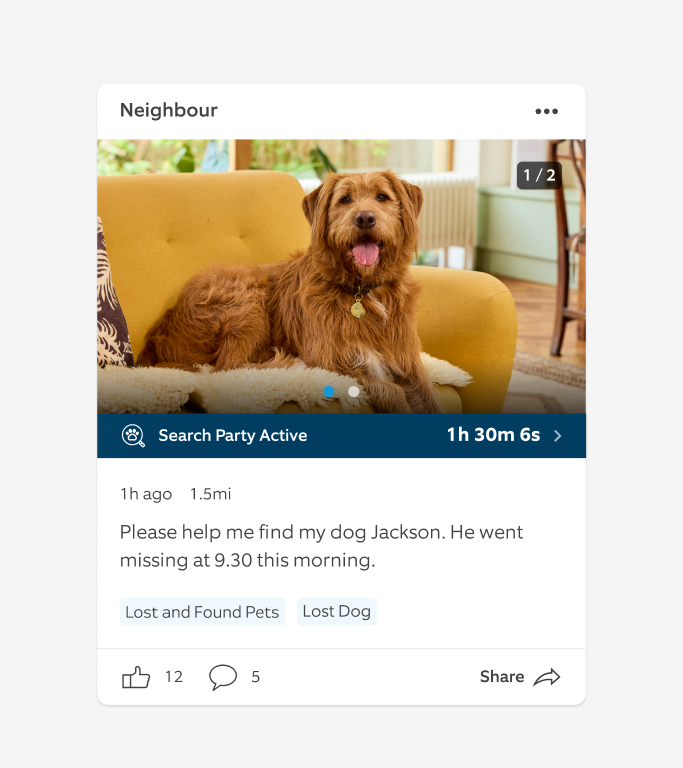
Search Party for Dogs extends the existing community spirit that’s already alive in your neighbourhood, building on what we believe is a simple human truth - neighbours want to help their neighbours. If your dog goes missing, you can use the Ring app to make a lost dog post and initiate a Search Party in your neighbourhood - it's free.

Ring proudly works with Dogs Trust to help neighbours keep the dogs they love safe and secure.

Stay Informed

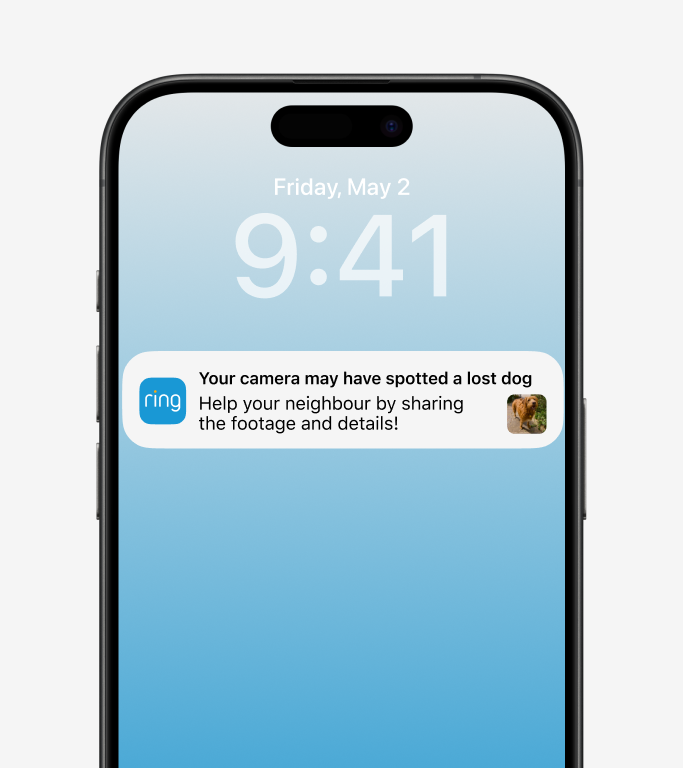
When a neighbour reports a lost dog in the Ring app, your outdoor cameras use AI to check for possible matches in the area.

Get notified

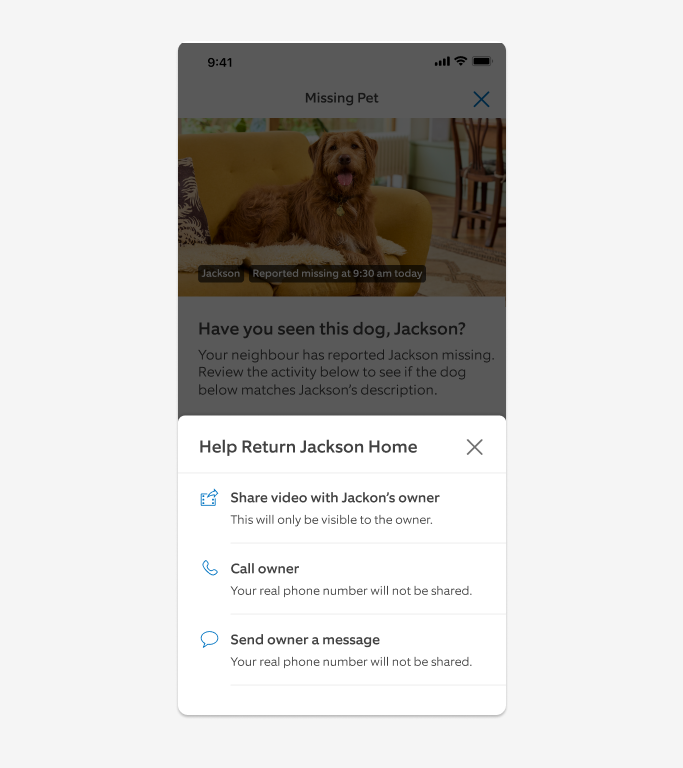
If there’s a match on your camera, you’ll receive a notification. You choose whether to share any clips with your neighbours.

Help reunite

One tap shares the relevant footage, or you can call your neighbour directly. Both actions increase the chances of a reunion.

Trusted by Dog Lovers

Every year, thousands of dogs go missing in the UK. Dogs Trust, the UK's largest dog welfare charity cares deeply about reuniting lost dogs, and together, we're helping communities connect and bring missing dogs home.

Your footage is always in your control.

You choose to share your footage when you want and can jump in to help your neighbours when you’re ready. Easily manage your devices in the Ring app’s Control Centre.

It's all in the Ring app.

Be part of a free community that helps you look out for your local area.

Stay in the know with real-time updates on local safety.

Share security concerns and helpful tips with people nearby.

Connect with your community and lend a hand when it matters.

Start or join a Search Party.

Already on Ring? You're ready to go. New here? It's free, no device needed.

Coming soon

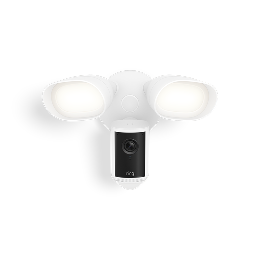
Protecting your neighbourhood starts with an outdoor Ring camera.

By choosing Ring, you're not just buying a device. You're joining a community that looks out for one another.

Shop Outdoor Cameras


Frequently asked questions

What is Neighbours and how does it work?

Neighbours by Ring is a free space in the Ring app where you and your neighbours can come together to share updates, look out for each other, and stay informed about what’s happening in your neighbourhood.

Neighbours uses your address to create a radius around your home. If anyone shares an alert you get notified. If you choose to share a post, your neighbours will also receive a notification. You can comment, share photos or videos, give information and share tips to help those around you. You can also widen or narrow your radius to suit where you live – to focus the posts you receive only on hyper-local information. Together, we can make neighbourhoods safer.

How do I access Neighbours in my Ring app?

Open your Ring app and tap the Neighbours tile on your dashboard. It's automatically available - no separate app needed.

What can I post on Neighbours ?

Before posting on Neighbours, be sure to view our Community Guidelines to see what types of posts and comments are permitted. Our aim is to keep Neighbours content and conversations focused on safety and local updates while allowing for constructive and open communication between community members.

As outlined in our Community Guidelines, Ring does not tolerate discrimination, threats or bullying, and we encourage users to treat their neighbours (and those visiting and passing through the neighbourhood) with respect. We also provide guidance, encouraging users to carefully consider the behaviour that made them suspicious of others and whether such suspicion is reasonable. We ask that neighbours do not post pictures or videos of people taken where they had a reasonable expectation of privacy without their knowledge or consent (for example, users should not post photos or videos of their neighbour’s backyard).

Users also have the power to flag incorrect or inappropriate content on Neighbours directly in the Ring app. Our team reviews flagged posts, and if the content violates one of our Community Guidelines, it will be removed from the content feed. When we deny posts as part of our pre-moderation process, we send an email to the user who submitted the post to let them know why. By educating our users on why their post did not make it to their feed, we reinforce our guidelines and help our users make responsible decisions.

Do I need a Ring device or subscription to use Neighbours?

No. Anyone with a compatible iOS or Android device can download the Ring app and use Neighbours for a safer community.

What is Search Party for Dogs?

Search Party for Dogs helps reunite lost dogs with their families. When a neighbour starts a Search Party for a lost dog in your neighbourhood, your outdoor Ring cameras use AI to check for possible matches. If there’s a match on your camera, you’ll receive a notification. You choose whether to share any clips with your neighbours. One tap shares the relevant footage , or you can call your neighbor directly. Both actions increase the chances of a reunion. Read more about Search Party here.

Is Search Party for Dogs available everywhere?

Search Party for Dogs is now available in the US and UK to reunite lost dogs with their families. You can start a Search Party by creating a missing dog post on Neighbours from your Ring app.

Do I need a subscription to use Search Party for Dogs?

You do not need a Ring subscription to start a Search Party. For those looking to help with a Search Party, cameras will only be able to participate in searching for lost dogs if they have saved video history with a Ring subscription.

Do I have control over my privacy and what is shared?

Yes. You can disable Search Party for Dogs at any time or manage individual cameras via the Ring app's Control Centre. You choose whether to share videos with your neighbours - nothing is shared automatically. You can ignore notifications or mute them at any time from the Ring app.

How long does a Search Party last?

Search Parties are temporary and will automatically end after a few hours unless the pet owner confirms they're still searching.

Who can report a lost dog?

Anyone can report a lost dog on Ring. Ring users with an active device can initiate a Search Party to look for their lost dog through the Ring app. We look forward to bringing Search Party for Dogs to all Ring users soon, even if they don't have an active Ring device. You do not need a Ring subscription to use this feature.

How can neighbours help reunite lost dogs using Ring?

Neighbours with participating outdoor Ring cameras can help with a Search Party. When Search Party is active in a neighbourhood, nearby participating outdoor Ring cameras automatically look for potential matches of the lost dog. Note: Search Party works on saved videos, so cameras will only be able to participate in searching for lost dogs if they have saved video history with a Ring subscription.

Will shared users have access to Search Party for Dogs?

Shared users will receive notifications of potential matches and can choose to share videos in response to a Search Party. Only account owners can control Search Party for Dogs settings in the Ring app's Control Centre.

How do I know if a lost dog is found?

Pet owners can update their Lost Pet post to let the neighbourhood know when their dog is found. We encourage all neighbours to share that news with their communities. If you have a story of how you were reunited with your loved one with Search Party for Dogs, we would love to hear about it, too - email us at ukstories@ring.com.

How does Ring protect against misuse?

Search Party can only be initiated to search around a pet owner's home location, and all missing pet posts from the Search Party are visible to neighbours in the area. Ring has strict moderation tools and will restrict access if misuse is detected.

What Is Community Requests?

A Community Request is a post from a verified local public safety agency to request help on a local investigation from community members within a specific area. You can choose to share videos or information in response to the post. Participation is always voluntary, and public safety agencies can only see what you choose to share. Read more about Community Requests here.

Will this affect my camera's performance?

Search Party for Dogs is optimised to have minimal impact on your camera's performance and battery life.

How does video sharing work when my camera spots a lost dog?

If you choose to share a video of a potential lost dog match, that video is posted in a comment on the original neighbour's lost pet post. Participating in Search Party for Dogs doesn't change your video history preferences - your videos are stored based on your settings.

When a Search Party is started for a lost dog, will AI be used to identify the pet owners or people?

No, Search Party for Dogs does not use AI to identify pet owners or people.

Still Have Questions?